Practice plans, lineups, morning check-ins, readiness, regattas and leaderboards in one place your rowers, coaches and parents all use. Built by a club that runs practice on it every day.
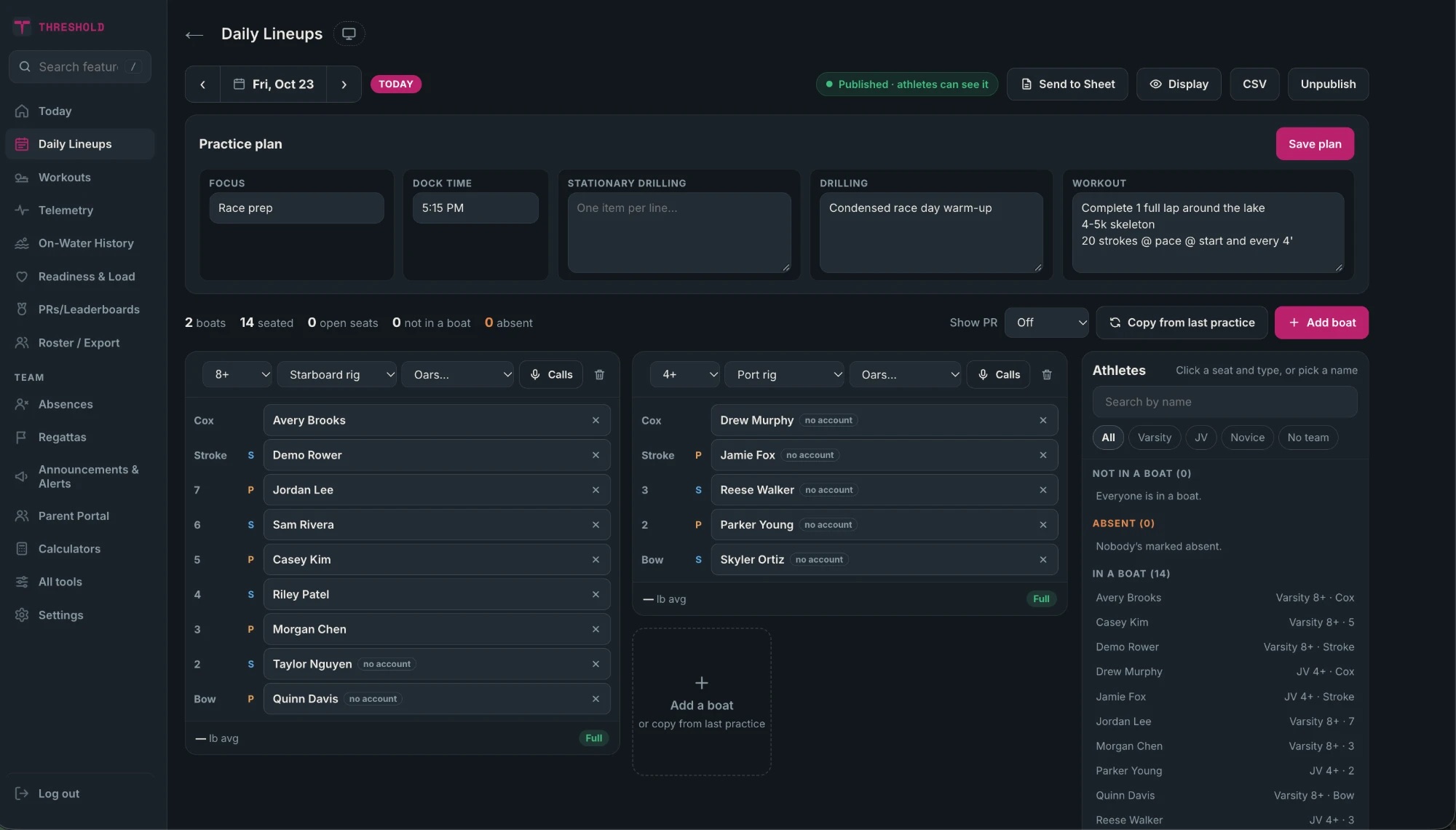
Not in a boat. S is starboard, P is port, C is cox.
Want to poke around the real thing?
Sign into a demo club in one click. No account and no password. Pick a view:
The demo is shared and resets every night, so anything you change is temporary.
Readiness
A 30-second check-in. A clear picture for coaches.
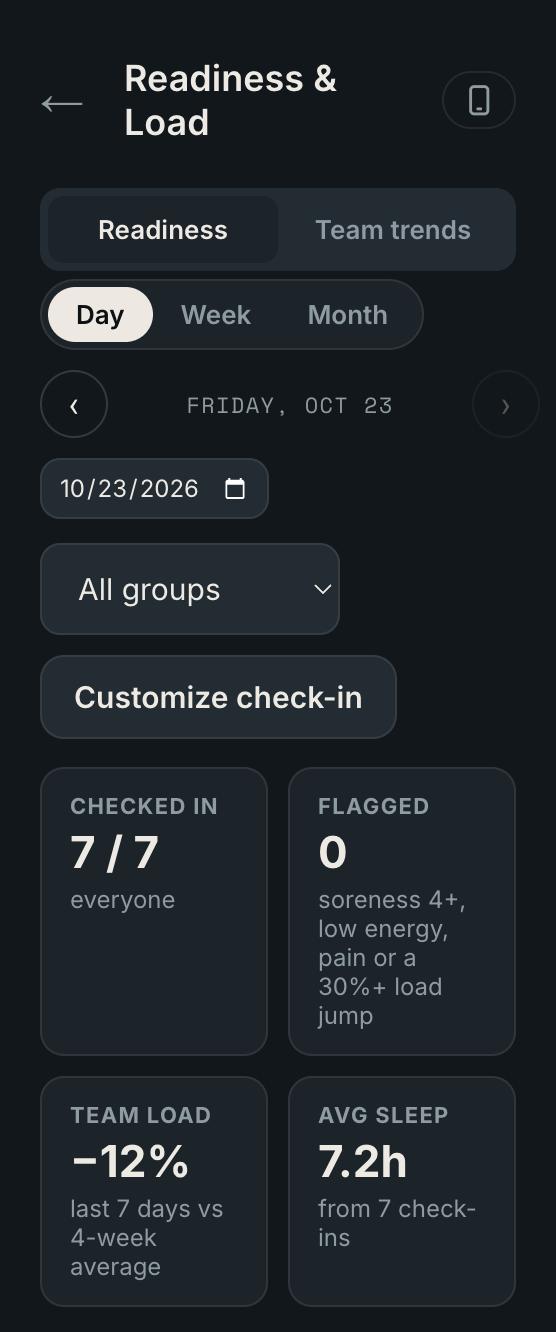
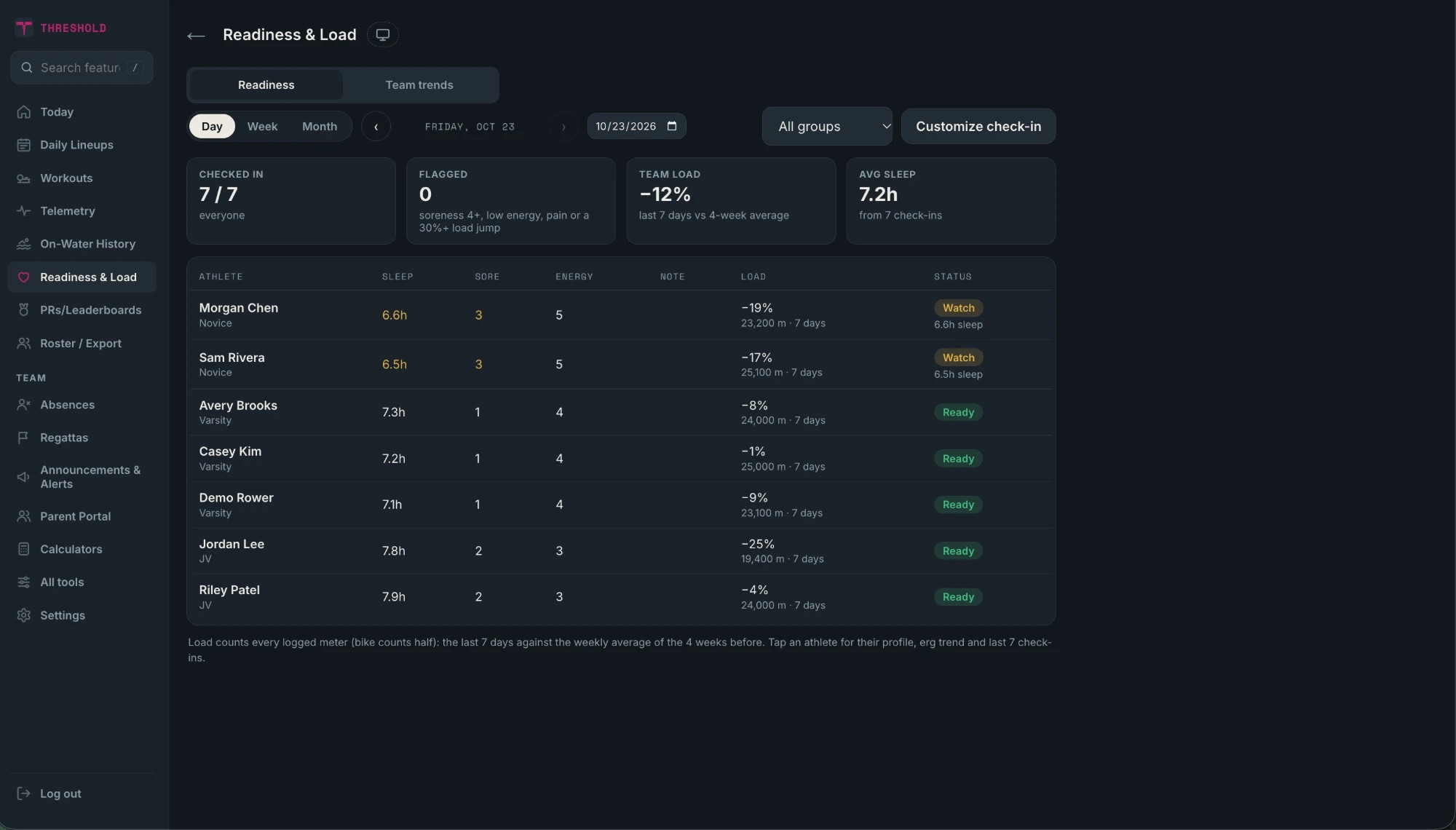
Sleep, soreness and energy each morning. Coaches see who is ready, who to watch, and how training load is trending against the last four weeks.
Flags for high soreness, low energy or a big load jump
Everyone's check-in in one list
Journal built into the same screen
Race season
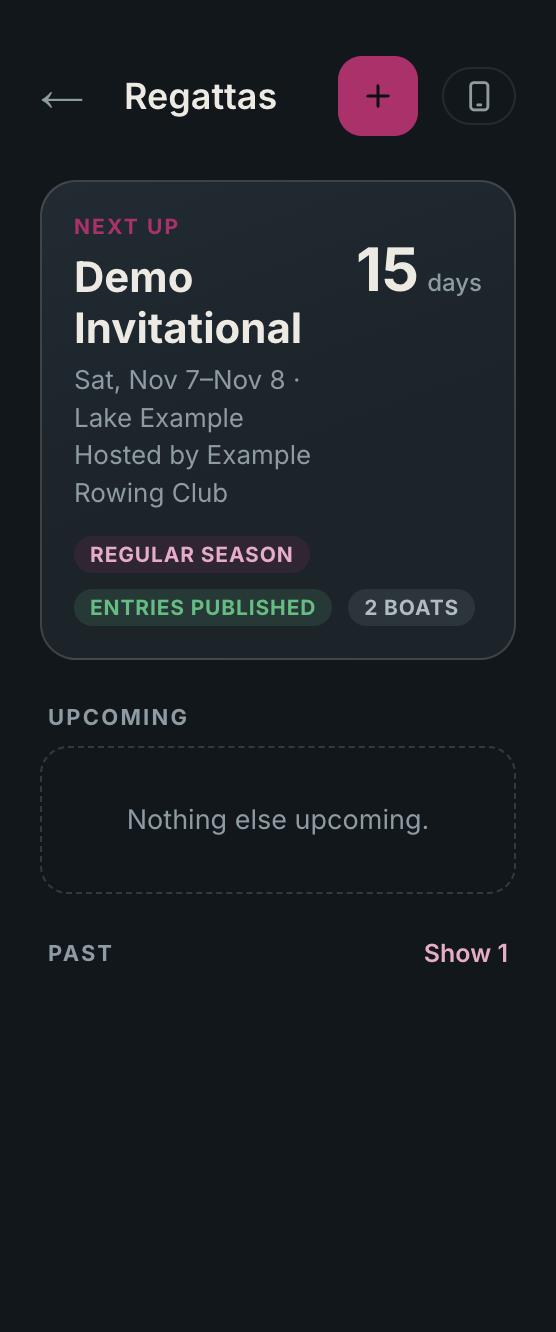
Regattas, entries and race day.
Enter your boats, set launch and race times, and publish the entries to the team. Everyone sees the countdown to the next regatta.
Entries with lineups and bow numbers
Launch and race times for every boat
Published to rowers and parents when you are ready
Leaderboards
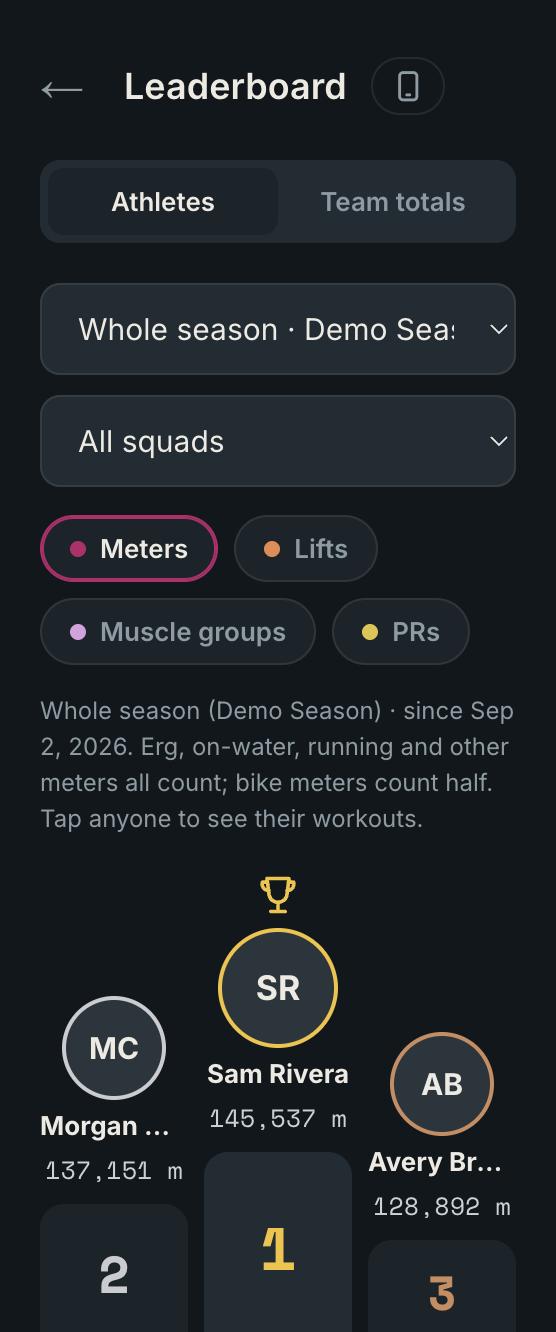
Meters, lifts and PRs, ranked automatically.
Everything a rower logs counts. Erg, water, runs and bikes roll into a season leaderboard, with a separate PR board per test.
For coaches, on a big screen
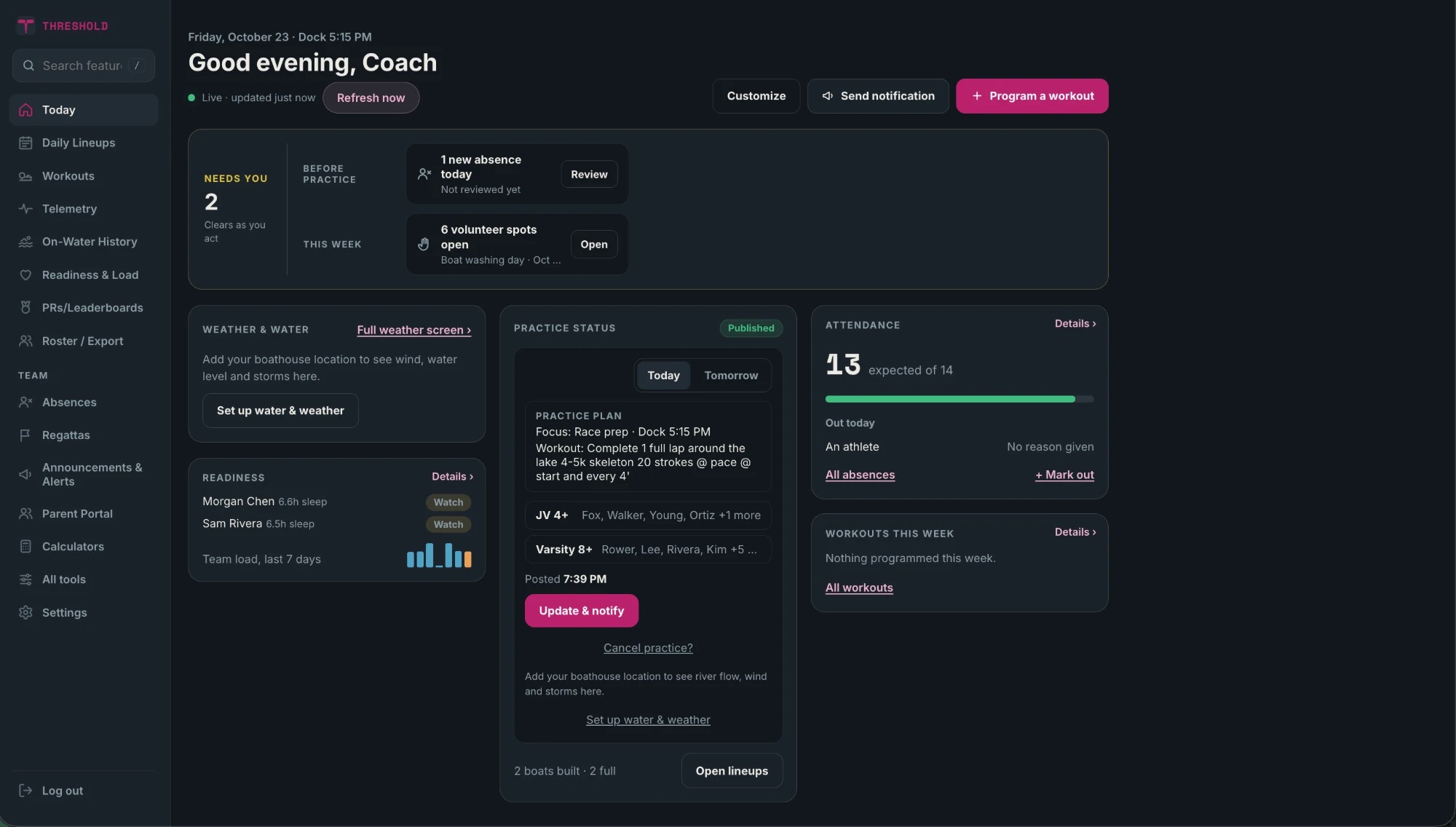
The whole program, one tab
Build and publish lineups, see who is ready, and know what needs you before practice.
For clubs
Bring it to your program
$50 / month per club
Every rower, coach, and parent account included — no per-seat pricing.
New clubs can try Threshold free with their team for up to three months before deciding.
⟶Why "Threshold"? It's the pace every rower already knows — the effort zone where a piece stops feeling easy and starts building fitness. The app is named for the exact line it's built to help you find.
For clubs
Let's get your club rowing on Threshold
Email us and we'll get your club set up — most programs are live within a day or two, with the first few months free to try it with your team.
Enter your club's join code. Your coach has it. You only do this once.
THRESHOLD
One quick thing
Threshold is for people aged 14 and older. Please confirm to continue.
THRESHOLD
Select your gender
It's used to put you in the right column on the leaderboard PR podiums. You can change it any time in Settings.
Stay in the loop
Turn on notifications so you never miss a workout or a change.
Workouts from your coach
Schedule and practice changes
Messages from your coach
You can change this any time in Settings.
Notifications aren't available right now. Either this browser or device doesn't support them, or they were blocked. You can turn them on later from Settings.
Enter your email and we'll send you a link to reset your password.
Set a new password
Choose a new password for your account.
Change password
Update your password here, no email link needed.
Hi
—
Total this season
Practice
Performance
Team
Settings
Profile
Team›
Moved up (or down) a squad? Update it here — your coach uses this when assigning ERG workouts to a specific team.
Saved
Your details›
Used for boat rigging and lineup building — your coach can see and adjust these too.
Saved
Leaderboard profile›
Your leaderboard name is what other athletes see on the Leaderboard instead of your email. Gender only sorts you into the right column on the PR podiums — "Prefer not to say" keeps you off the podiums.
Saved
Weekly goal›
Only you see this. It drives the goal ring on your Home Screen and Lock Screen widgets.
Saved
Notifications
iPhone/iPad: notifications only work once this is added to your Home Screen. Tap the Share icon in Safari, then "Add to Home Screen" — then open Threshold from that icon and come back here.
Workout reminders, lineups and messages from your coach.
Connected apps
Concept2 Logbook Connected
Apple Health›
Syncs your resting heart rate, HRV, sleep, and workouts from the Health app — needs a free helper app called "Health Auto Export" since Apple doesn't let websites read Health data directly.
Deleting your account removes your login and personal info. Your team's workout history, results and leaderboard totals stay, just not tied to your name.
Calendar
Add Threshold to your phone's calendar. It updates on its own when a coach adds, moves or cancels something.
Apple Calendar checks for changes about once an hour. Google can take a few hours. Outlook: paste the copied link under Add calendar → Subscribe from web.
Privacy
Anyone with your link can see these events. If it got shared by mistake, make a new one, then add it to your calendar again.
Train
Team
Me
Your week
Announcements
Team challenge
2 of 4
Add a profile photo
Your crew and coaches will see it next to your name on lineups, the leaderboard and your rows.
Shown to your club next to your name.
You can add or change it any time in Profile.
Your details
3 of 4
About you
Coaches use this to build balanced lineups and size gear. Only you and your coaches can see height and weight.
GradeRequired
Height and weight
ftin
lb
cm
kg
Your height and weight are only shared with your coaches. You can change them any time in Profile.
Side you rowRequired
Years rowingOptional
Profile
Profile
Videos
Clips from your boat, up to 2 minutes. They delete themselves after 30 days.
Rigging
Add a sibling
Pick the teammate whose account you'll be able to switch into. They can see and remove this link from their own Settings.
Absences
Tap the practices you'll miss.
MTWTFSS
PracticePickedAlready outNo practice
No practices picked yet.
Reason (optional, your coach sees it)
You can take it back any time before practice.
Coming up
Past this season›
Mark yourself out for any upcoming practice — try to do it by 11pm the night before so your coach's lineup for that day is accurate.
Log a row
For a boat that wasn't live-tracked. Pick the boat, fill in who was in it, then add the numbers.
Boat
Who was in it
The row
Date
Weather
Wind
Notes
3 and 3's
3 things we did well
1
2
3
3 things to work on
1
2
3
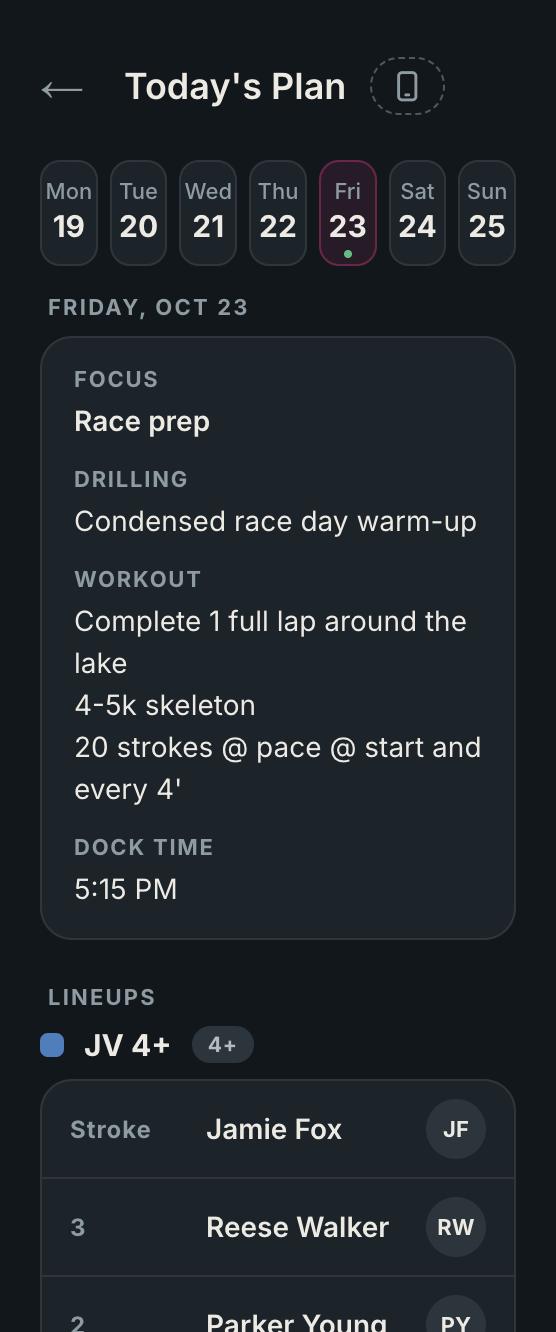
Today's Plan
—
My PRs
My week
Loading…
EEat
SSleep
HHydrate
Your coach sees the 1–5 ratings, never your notes.
Saved
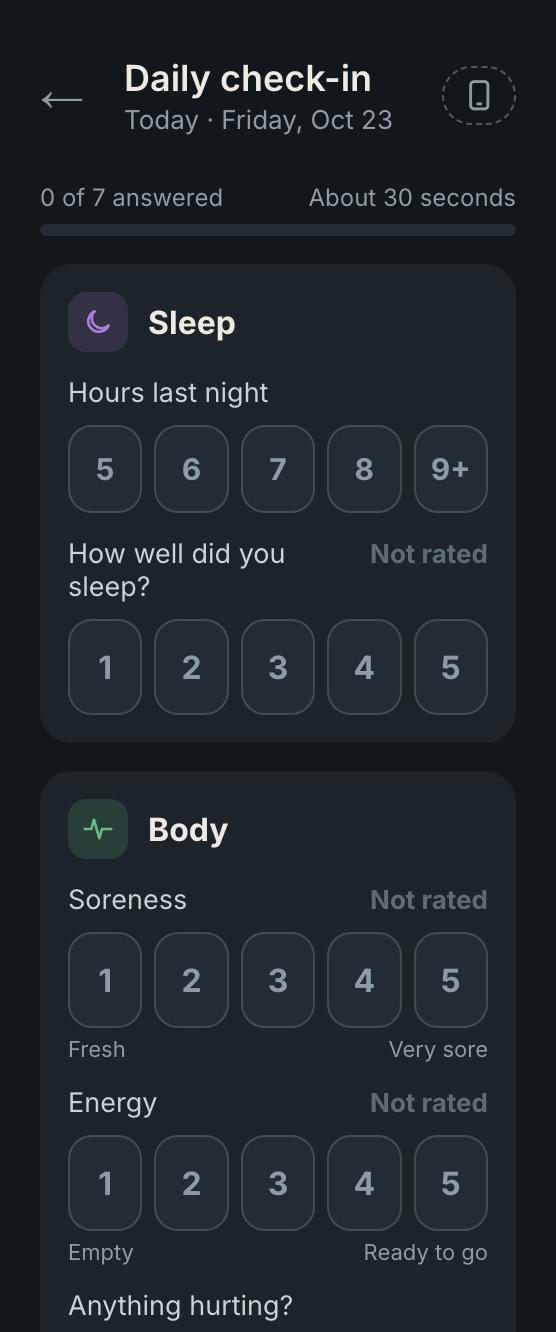
Daily check-in
Loading…
Coach wants your numbers
Tap a piece to enter your data.
Log erg
Select boat
1Boat
2Class
3Lineup
Boat class
Boat
2Class
3Lineup
for Big Blue
Lineup
Boat
Class
3Lineup
Big Blue · 8+
Seats
Tracking
—
Not started
Auto-paused · resumes when you start rowing
Paused. The clock and distance are stopped. Tap Resume to keep going.
WORKRep 1/4
--
Workout
Split /500m
--:--
Rate
--spm
Moving time
0:00
Distance
0m
M / stroke
--
Speed
-- m/s
Check
--
Drive dist (m)
--
Drive / recovery (s)
--
Rate
--
spm
Split /500m
--:--
THIS ROW
0m
Call sheet
No calls yet. Tap Edit to write your own, or your coach can add them in Daily Lineups.
Trace: HOCR
Waiting for GPS
Lap 1Lap 2Your track
--Off line (m)
0.00Km traced
0:00Time
Not started.
Cox audio BetaPhone mic. Stays on this phone.
0:00
Hold Finish for 1 second, so a wet hand can't end the row by accident.
More
No other boats nearbyShows the closest boat that's tracking within 400 m.
meters
seconds
Sensor recording (for tuning)
Off.
SIGNAL (raw accel · red dots = detected strokes)
Screen locked
Tracking keeps running. Taps are ignored until you unlock.
Row saved
Row
History
Every row, workout piece, and logged erg/on-water/other activity and lift — all in one place.
Entry
Leaderboard
Workouts
Workouts
Suggested order — your coach's plan for each day. Did a different day's workout, or something of your own? Tap "Did something else" on the day you did it, or "+ Log a workout" above. Next also reaches next week.
Deleting your account removes your coach login. Your club, roster and athletes' history stay.
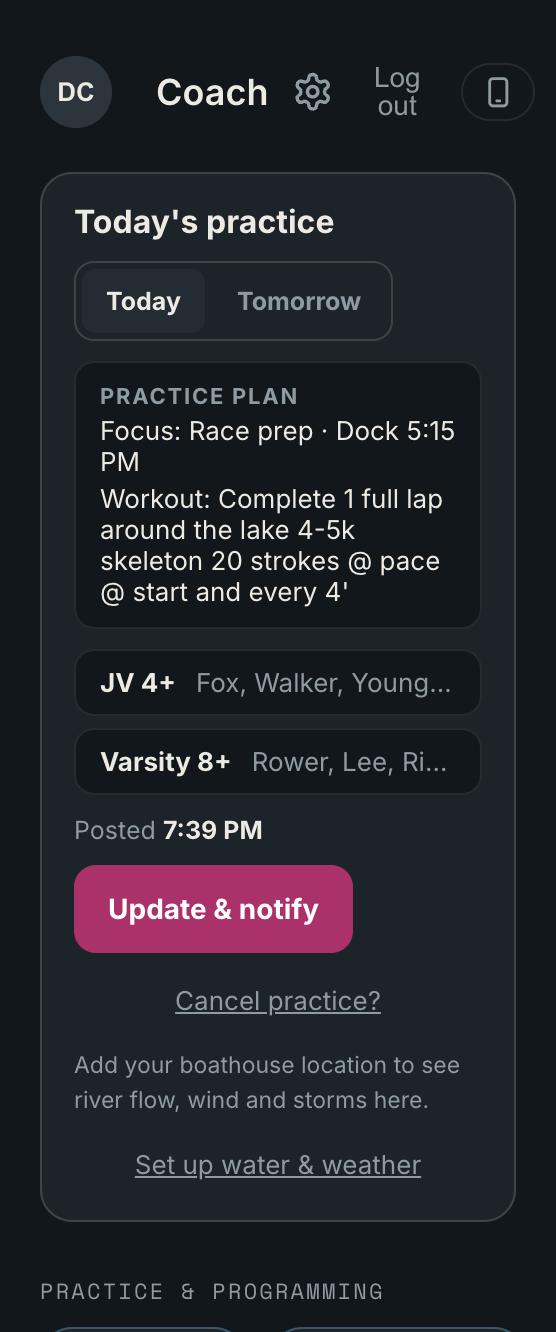
Today's practice
Loading…
Club setup
Loading…
What's in Threshold
Calculators
Pace, watts and race predictions. Same math as the Concept2 tools.
Pace calculator
Fill in any two. The third is calculated.
--Watts
--Calories / hour
Split and watts
Type one, the other updates.
--Calories / hour
--Watts per kg
Race pace predictor
Enter a recent result and see what it predicts at other distances.
Distance
Time
Split
Watts
Estimates use a standard fatigue curve and are a guide, not a promise. Real results depend on training and the day.
Switch links
Every sibling switch link on the team. Removing one here takes effect immediately.
Readiness & Load
Loading…
Test Day
Loading…
Paces
Loading…
Club settings
your club
Your club on Threshold
Join code
Rowers and parents enter this when they create an account. You can change it any time. Anyone who already has an account keeps their access either way.
Accent color
The highlight color across your club's screens. It changes only when you tap Save.
Custom color
Time zone
Scheduled notifications and practice reminders go out on this clock.
Coaches
Everyone with coach access to this club.
Loading…
Club setup
Billing
Loading…
Switch or cancel any time from Manage billing once you're subscribed.
Parent Portal
Team Calendar
Practices, regattas, and team events
Volunteer Events
Roles, slots, and sign-ups
Van List
Today's driver and who's riding
Family Volunteer Hours
Earned and scheduled hours, by family
Admin
Admin parent emails and linked-parent management
Family volunteer hours
Earned means finished and checked in. Scheduled means signed up, and not counted until it happens.
Announcements & Alerts
Start from a template
A push shows the first 178 characters of the message.
Who gets it
How it goes out
Show on Home until they tap Got itA banner on their Home, with receipts you can check
Pin to the top of the list
Send a push notification
Posts
Loading…
Scheduled
Loading…
New scheduled notification
Sends to everyone in the audience at the times you pick.
Also show on Home as a bannerEach send replaces the last banner from this schedule, so they never pile up
How it will look
Roster / Export
Everyone on your roster, with the details athletes have shared. Height and weight are visible to coaches only.
Pick another date
Loading…
No rows logged on this date.
0:00 / 0:00
SlowFast1x
No GPS was recorded for any row on this date — averages only, no map.
The training groups your athletes choose from when they join: Varsity, JV, Novice, Masters, whatever fits your club. Each athlete is in one group. Groups are also how you target workouts, calendar events and notifications, and how the leaderboard is filtered. Renaming a group updates everyone in it.
Loading…
For clubs where the men's and women's squads run separately. Each team gets its own lineups, practice plan, publish button and practice status, so two coaches can work the same day without touching each other's. Athletes are placed by the gender on their profile; you can override any athlete.
The fleet. Used everywhere lineups and telemetry sessions pick a boat.
The club's oar sets, used by the oar picker when building a lineup (Daily Lineups and saved lineup templates).
Which weekdays each group normally practices. Powers the absence-reminder nudges (Coach hub → Absences). Tap a day to switch it on or off; it saves as you tap. A group with nothing on is treated as "not set yet", not "never practices".
Athlete details
Team
Changing this only affects workouts assigned to a team from now on. It does not add this athlete to workouts already created for that team.
Men / Women / Other
Body
School
Grade
Side
Athlete
Absences
Loading…
Nudges anyone who hasn't marked an absence yet for a day their training group normally practices (set each group's weekdays under Roster, Practice days).
Seasons
Meters reset at the start of each sub-season. Tap one to see that period's totals.
Sub-season
PRs and leaderboards
Top 3 per tracked test, split by gender — same times shown on My PRs and the Best Times tab above.
Tracked team-wide. A fixed distance has a time as its result; a fixed time like 30R20 has meters covered as its result. Removing a test hides it from the board. Nobody's saved times are deleted.
Add a test
Daily Lineups
Build today's boats and practice plan, then publish when you're ready — athletes only see this date's lineups and plan once it's published.
—
—
Athlete
Meters per entry
Split per 500m lower is faster
Recent
Zones & Paces
Your split for each zone (from your 2k PR), roughly where it sits by heart rate, and what an erg piece in that zone might look like. Check with your coach for your own numbers.
Training Log
Loading…
Edit workout
On the water
—
live
Today's crew
Athlete-started workoutRep 1/4
SPLIT / 500M
--:--
RATE
-- spm
M / STROKE
--
CHECK (m/s²)
--
DRIVE DIST (m)
--
DRIVE / RECOVERY (s)
--
Recent split
Waiting for data…
Seat race
—
No finish line saved yet
Stand at the line and save it once — it's reused for every seat race until you change it.
Piece
Boats (pick 2 or more)
Seat race
0:00.0
Race clock
Tap a boat as it finishes
Finished
Race results
Details
Past races
to
Build a workout
Boats
Repeats
Work interval
Rest interval
Workout
Workout results
Details
Past workouts
to
Trends
Boats
to
Avg speed (m/s — higher is faster)
Avg stroke rate (spm)
ERG Workouts
Suggested order — what's programmed for each day. Anything athletes did on a different day (another day's workout, or their own) shows under the day they actually did it, under "Also done this day". Tap any day to program or review workouts — erg, run, bike or lift.
What's programmed each day — erg, run, bike or lift. Click a workout to see who did it, their meters and average split.
Export CSV ▾
—
This week
Show
—
Day
New ERG workout
Workout
Athlete
Group
Journal ratings
Loading…
Last 14 days
Look up a day
Their written notes stay private.
Sleep data
Loading…
Last 14 nightsgoal 8 h
Look up a night
Cycle
Loading…
Entry
On-water history
Winter League
Loading…
Log League Workout
Date
My Entries
Loading…
Team
Loading…
Winter League
Loading…
New season
Late entries after the last day
Start from a previous season
Pause the league
Rowers can still see the standings and their own entries, but can't log, edit or tap bonuses until you resume. The weeks keep counting.
Resume automaticallyOptional
Past Seasons
Loading…
Season
Loading…
League Admin
Your default team(s): —
Roster
Add athletes
Add a team
League admins
Only league admins can start, pause, end and finalize the season.
Edits apply to entries logged from now on. Anything already logged keeps the rate it was logged at.
Bonus changes apply from now on. Bonuses already earned keep their points.
Every logged entry and bonus for the selected team, most recent first.
Athlete Home
Phone previewShow / hide
Loading…
Switches save the moment you flip them. Tile settings (default, size, pin, order) save with this button.
Customize check-in
Loading…
Super admin log in
Restricted to one authorized account.
or email
Super admin
Site status
Checking…
While maintenance is on, anyone who isn't signed in as super admin sees a "We're making updates" screen. Nobody gets logged out; they just can't do anything until you turn it off.
Quick sign-in
Feature toggles
Temporary features
Clubs
Notify
Demo club
Wipes "Demo Rowing Club" and re-seeds it: three weeks of sample training, today's practice plan, a regatta, an absence, a volunteer event. Safe to press before every club demo.
Feature toggles
Notify clubs
Message
A push shows the first 178 characters. The Home banner shows all of it.
Who gets it
Loading…
Rowers, coaches and parents in the clubs you pick. Turn on All Threshold users to reach every club.
How it arrives
Recent sends
Loading…
Map Trace
Turns on a Trace page inside Live Tracking for the athletes you switch on. Only they see it.
Loading…
Route editor
Clubs
Loading…
Add a rowing club
Creates the club and a real login for its first coach. They can sign in right away with the email and password below, and change either afterward.
THRESHOLD
Rowing club training log
Site under maintenance
We're making some updates. Check back soon!
THRESHOLD
Subscription needed
This club's Threshold subscription has lapsed. Ask your coach to renew to get back in.
Pick everyone on the team who's yours. You can pick more than one.
Hi
Athletes
Team
Volunteer
Athletes' workouts
This week's workouts from your coach, and whether they've been logged.
Loading…
Mark an absence
Please mark by 11 PM the night before so the coach's lineup is right.
ReasonOptional
Upcoming absences
Van list
Today · Our van seats 14 kids + 1 driver.
0of 14 seats
Riders
Driver for this day
Who's riding
No van this day
Usual van settings
The defaults the Van list falls back to. A specific day can still be changed there without touching these.
Default driver
Usual riders
Each day can have its own usual riders, e.g. one group on Mondays and a different group on Tuesdays.
Settings
Notifications
iPhone/iPad: notifications only work once this is added to your Home Screen. Tap the Share icon in Safari, then "Add to Home Screen" — then open Threshold from that icon and come back here.
Absence reminders, volunteer updates and messages from the coach.
Deleting your account only removes your own parent login. Your athlete's history isn't affected.
Team calendar
Loading…
New Event
When
Date
Time
Who can see this
Men / Women / Other
Pick a team to show this event only to that team and its parents. Leave on Everyone to show it to the whole club.
Notes
Volunteer sign up
Loading…
Event
Roles
New Volunteer Event
Date
Roles, spots and time needed
Regattas
Loading…
Venue weather
Loading…
Regatta
Checklist
New Regatta
Basics
Type
Notes
Visibility
Race entries
Which boat(s) are racing, and who's in each. Coach-only, saved together with the regatta.
Race-day schedule
Unload, warm-up, meeting spot, load trailer. Shows on the race-day timeline with the race times.
Checklist
Who can check items off
On top of coaches and admin parents, who else can mark this regatta's checklist items done?
Trailer map
Drag a boat onto a rack to place it. On a phone, tap a boat, then tap the rack.
Not yet racked
Trailer
Checklist template
The standard packing list. Load it onto any regatta with "Load from template."
Admin
Team Calendar and Volunteer Events are reachable from the Parent Portal menu — coaches can always edit both. This screen is just for admin parents and linking.
These emails get the same calendar & volunteer-event editing rights as coaches, once they sign up as a parent.
Which parent accounts are linked to which athlete — unlink here if someone picked the wrong name at signup.
Call sheet
Add a meter mark to have the call light up on its own when the boat gets there (meters into the piece). Leave it blank and the cox steps through the calls with Next.